US Open 2026 in 4K: Complete IPTV Guide for Canadian Tennis Fans
August 27, 2026 · 8 min read
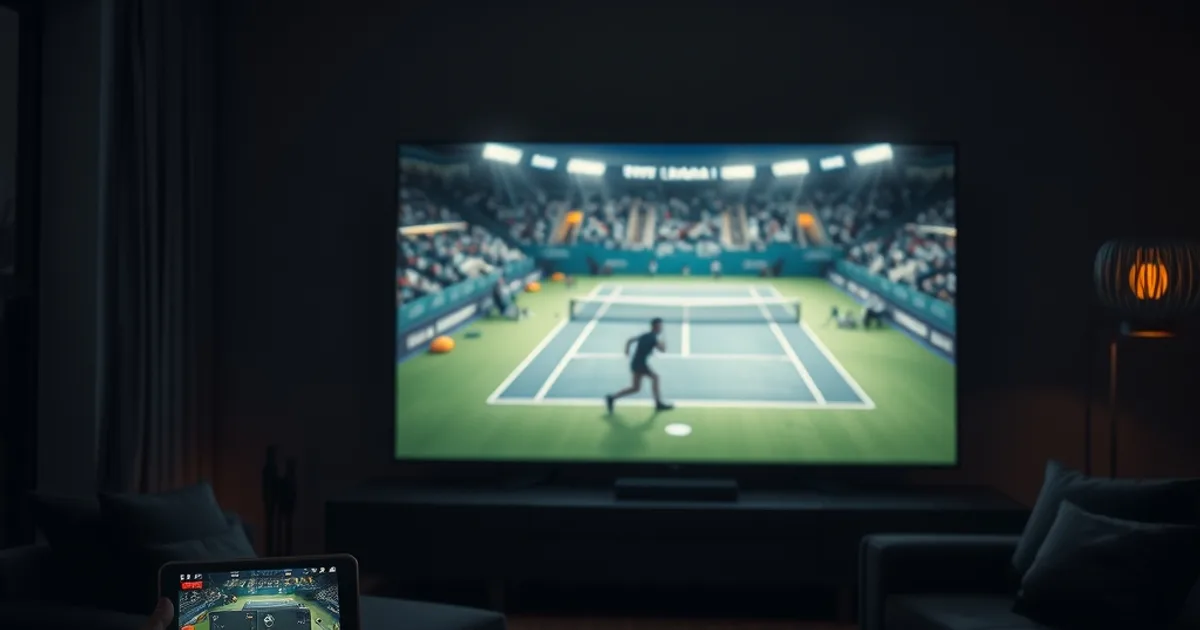
The US Open is live in New York through September 13, and searches for ways to stream it are spiking across Canada right now. That surge doesn't stop when the trophies are handed out — U Sports football and the NHL preseason land within days of the final, kicking off a three-month stretch where Canadian sports fans will lean on their streaming setup almost every night of the week.
Tennis is a different animal from the hockey and football content most IPTV guides are written around. A slap shot or a snap count gives you a beat to recover from a stutter. A 220 km/h serve does not. If your feed drops half a second behind, you don't just miss a replay angle — you miss whether the ball was in.
This guide is written specifically for that problem: what actually matters when you're watching fast, low-margin-for-error tennis on IPTV, how to set up a second screen for live stats without wrecking your main feed, and how to use the tournament itself as a live stress test before you commit to a plan.
Why Tennis Fans Are Switching to IPTV for the US Open
Cable tennis packages bundle you into whatever channel lineup the provider decided on years ago, with no easy way to jump between three or four simultaneous matches happening on different courts. IPTV flips that: you pick the courts and channels that matter to you, and you're not locked into a single feed while a five-set thriller runs opposite the match everyone's talking about on social media.
The other draw is flexibility across the calendar. The US Open runs into mid-September, but Canadian sports viewing doesn't pause after the final ball is struck — U Sports football and NHL preseason games start almost immediately, and cable packages rarely cover all of it under one subscription. An IPTV setup that already proved itself during a demanding two-week tennis tournament is a setup you can trust heading into that fall sports crunch.
None of that flexibility matters, though, if the stream itself can't keep up with the sport. Tennis is uniquely unforgiving on a technical level, which is exactly what the rest of this guide addresses.
Curious whether your connection can actually handle 4K tennis coverage?
US Open 2026 Schedule & Canadian Broadcast Rights
The 2026 US Open runs at the USTA Billie Jean King National Tennis Center in New York from August 23 through September 13, with the women's singles final on September 12 and the men's singles final on September 13. In Canada, TSN holds the rights to the tournament, with coverage also carried on RDS for French-language viewers — meaning the match schedule spans well into the evening for Eastern viewers and even later for anyone watching from further west.
That timing matters for IPTV viewers specifically. Day sessions at Flushing Meadows start in the late morning Eastern time, and night sessions can run past midnight. An IPTV subscription that lets you pull TSN and RDS feeds through a stable app means you're not tied to a living-room TV for a match that starts at your lunch break and might not finish until well after dinner.
If you're new to using IPTV for live sports broadcast windows in general — including how Canadian time zones affect scheduling and channel availability — our guide on 4K IPTV streaming setup for Canada in 2026 covers the groundwork before you get into tennis-specific settings.
The 4K Hardware Reality: Boxes, Bandwidth, and Display Settings for Tennis
Tennis is one of the sports where 4K actually earns its keep. The ball is small, fast, and often shot against a green or blue court that can crush detail at lower resolutions — you lose the ball off the racket well before you'd lose a puck or a football. Color fidelity matters more here than in almost any other sport: on a poorly calibrated display or a weak stream, the line between 'in' and 'out' becomes a guessing game rather than a visible fact.
That starts with your box. A weak or outdated streaming device will bottleneck a 4K feed no matter how strong your internet connection is, because decoding 4K HDR in real time takes dedicated processing power the box either has or doesn't. Our breakdown of the best IPTV boxes for Canada walks through which hardware tiers can actually sustain 4K sports without downscaling mid-match.
Bandwidth is the other half of the equation, and tennis is deceptively demanding because matches run two to four hours with sustained high-motion video the entire time — there's no lull like a halftime break to let buffers catch up. Before the tournament reaches its second week, it's worth running an actual speed test against 4K sports requirements rather than assuming your everyday browsing speed is enough; our IPTV speed test guide for 4K in Canada explains exactly what numbers to look for.
On the display side, make sure your TV's picture mode is set to something like 'Movie' or 'Filmmaker' rather than a default 'Vivid' or 'Sports' mode. Those preset sports modes often boost motion smoothing and saturation in ways that can actually distort ball tracking and court color rather than help it.
Latency Matters: Choosing an IPTV Provider That Doesn't Lag on Fast Sports
Latency — the delay between what's happening on court and what appears on your screen — is rarely discussed in general IPTV guides, but it's the single most important factor for tennis specifically. A few seconds of lag is barely noticeable during a slow build-up in soccer. In tennis, where a point can be over in under two seconds, that same lag means you're watching a rally that already ended, and any real-time discussion on social media or with friends watching elsewhere will spoil the point before it reaches your screen.
Latency comes from a stack of factors: the provider's encoding pipeline, your ISP's routing, and your own network hardware. You can't control the first one directly, but you can control whether your connection is being throttled specifically during sports streaming hours, which is worth ruling out before blaming your IPTV provider for a laggy feed. Our guide on testing for ISP throttling during live sports is built exactly for this kind of diagnostic.
A practical way to judge a provider's real-world latency on fast sports is to watch a rally live and see how it compares to a friend's cable broadcast, or to the score ticker on an official tournament app running on a second device. If your IPTV feed is consistently five-plus seconds behind a live score update, that's a latency problem worth addressing before the next Grand Slam or before hockey season adds even more live viewing to your week.
Multi-Device Mastery: Watch on TV, Stats on Tablet
Tennis rewards a second screen more than almost any other sport. Serve speed, first-serve percentage, unforced errors, and head-to-head history all add context that a broadcast graphic only shows for a few seconds. Running the match on your main IPTV screen while checking live stats on a tablet or phone is a natural fit — but only if your setup can handle both devices without either one stealing bandwidth from the other.
This is where a lot of casual multi-device setups fall apart during marquee matches: everyone in the house is streaming the same tournament on a different device at the same time, and the router starts prioritizing traffic in ways that hurt the main TV feed. If you're planning to run IPTV across a TV, a tablet, and maybe a second bedroom TV during the tournament, our multi-room IPTV setup guide walks through how to configure your network so the main match doesn't stutter every time someone else's stream buffers.
A simple rule that helps: keep your stat-tracking device on a lower-resolution stream or the tournament's own live scoring app rather than a second full-quality IPTV video feed. You want the bandwidth budget going to the match you're actually watching, not split evenly across two video streams when only one needs to look sharp.
Fast-Paced Sports Buffering: Tennis-Specific Fixes
The three buffering problems that hurt tennis the most are audio-video sync drift, freezing during rallies, and picture quality drops during fast camera pans following the ball. Sync drift is usually the first thing you'll notice — commentary that's a beat ahead of or behind the action — and it's often fixed by restarting the app rather than the whole box, since it's frequently a software buffer issue rather than a network one.
Freezing mid-rally is almost always a bandwidth or Wi-Fi interference problem rather than a provider issue, especially if it happens repeatedly at the same point in a match (for example, every time the broadcast cuts to a wide court shot, which needs more bandwidth than a tight shot of a server's face). Wiring your main IPTV box directly to your router with an ethernet cable, rather than relying on Wi-Fi, solves this for a large share of Canadian households.
Picture quality that drops specifically during fast camera movement — the ball blurring or the court color washing out during a pan — is usually the streaming app automatically downscaling to protect against buffering, rather than a hardware limitation. If this happens consistently, it's a sign your sustained bandwidth is close to the edge of what 4K needs rather than comfortably above it, which loops back to the speed test worth running before the tournament's biggest matches.
Stop guessing and test it yourself during a live US Open match this week.
Test Your IPTV Setup During Live Tennis: The Ultimate Trial Guide
The US Open is, honestly, one of the best possible stress tests for an IPTV setup. Two weeks of near-daily live sports, long match durations, fast-paced rallies, and night sessions that push into peak internet-usage hours all combine to reveal weaknesses that a quiet Tuesday night of on-demand content never would.
Rather than committing to a plan sight unseen, use a trial period specifically during a live match — ideally a night session when your household's internet usage is also higher than usual, since that's the real-world condition you'll be watching under all season. Check for the three things covered above: sync, freezing during rallies, and picture sharpness during fast camera movement. A provider that holds up cleanly through that window will very likely hold up through NHL and U Sports season too.
If you're ready to see how your own connection handles it, there's no substitute for watching a live set yourself rather than reading specs on a page.
Frequently asked questions
Do I need a 4K TV to notice a difference watching tennis on IPTV?
You'll notice the biggest gains on a 4K-capable TV, since ball visibility and court color accuracy improve substantially over standard HD — especially on fast serves and returns. If your TV is HD-only, prioritize a stable, low-latency stream over chasing 4K, since a smooth HD feed beats a stuttering 4K one for a fast sport like tennis.
Why does tennis feel laggier on IPTV than hockey or football?
Points in tennis can begin and end in under two seconds, so even a small amount of latency is far more noticeable than in sports with natural pauses. The same delay that's barely perceptible during a football drive can mean you miss an entire rally in tennis.
Can I watch the US Open on IPTV and check live stats without slowing down my main stream?
Yes, as long as your network setup accounts for both devices. Wiring your main TV box directly to the router and keeping your stat-checking device on a lightweight scoring app rather than a second full video stream both help avoid bandwidth competition.
Is my current internet speed good enough for 4K tennis coverage?
Tennis matches run long with sustained high-motion video and no real lull to let buffering catch up, so it's worth testing your actual sustained speed against 4K sports requirements rather than assuming your everyday browsing speed is sufficient.
Will an IPTV setup that works for the US Open also work for NHL and U Sports this fall?
A setup that handles tennis cleanly — with its unforgiving latency and long match durations — is generally well-positioned for hockey and football too, since those sports are less demanding on the specific pain points tennis exposes.